
From POC to Production: A Practical Guide to Hardening Your AI Workflow
You've vibe-coded a workflow and it works in testing. Here's what actually needs to change before you can run it like a business system.
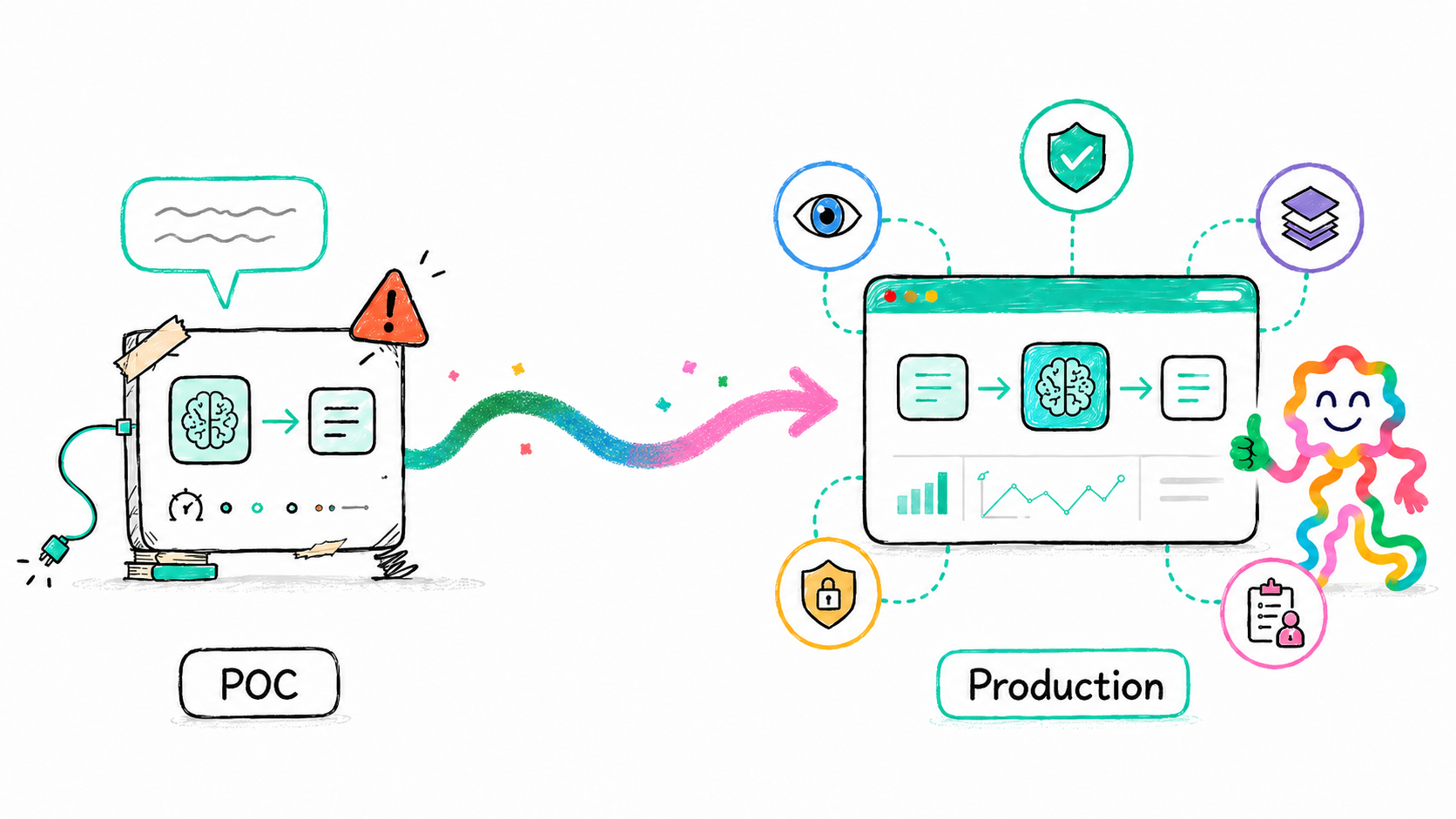
It's an exciting time! AI is all the rage, and everybody can vibe code their own apps by just prompting AI.
You've been given a company process to automate, and you use AI to implement it, and it's working! It rightfully feels magical!
Before you think about firing your developer (sorry Bob), can you take it to production? What are some of the risks?
A POC proves possibility. Production proves predictability.
Let's talk through what you really need when you go to a production workflow. We provide a checklist at the end with details in the blog post itself.
If you've vibe-coded a workflow and it works in testing, here's what actually needs to change before you can run it like a business system. For each area, we'll contrast how a POC behaves, what production requires, and how Squig (built on Integry) handles it.
1. Reliability: Designing for Failure Instead of Hoping for Success

How a POC behaves
If something fails, you notice. You rerun it. Maybe you tweak a prompt or refresh a token. You are the retry mechanism.
What production requires
Failures must be classified and handled automatically. Transient errors should retry with backoff. Permanent errors should be isolated. Partial side effects must not duplicate. Every step must be idempotent so reruns don't double-charge, double-create, or double-notify. Failures must leave an audit trail.
Production reliability is not about "it works." It's about "it fails safely."
How Squig handles it
Squig inherits Integry's execution engine with built-in retries, idempotency safeguards, resumable runs, and dead-letter handling. Every workflow run is recorded and can be resumed or replayed without corrupting downstream systems.
2. Observability: From Black Box to Traceable System
How a POC behaves
You press run and hope. If something goes wrong, you dig through logs or re-test manually.
What production requires
Every run needs a trace. You must know which inputs triggered it, which workflow version executed, which APIs were called, how long each step took, and where it failed. You need replay and resume capabilities without side effects.
If you cannot answer "what happened?" in minutes, you do not have production observability.
How Squig handles it
Every Squig workflow execution has a full trace across steps, model calls, and integrations. Runs can be replayed or resumed safely, making debugging deterministic instead of investigative guesswork.
3. State Management: Treating Workflow Memory as Infrastructure
How a POC behaves
Steps pass JSON around. Fields evolve informally. Nobody thinks about historical compatibility.
What production requires
Durable, versioned state. Snapshots at meaningful boundaries. Schema evolution strategies. Recovery points for long-running workflows. Clear contracts between steps.
Once customers depend on outcomes, workflow state becomes infrastructure.
How Squig handles it
Because Squig is built on Integry's long-running orchestration layer, workflow state is durable, centrally managed, and version-aware. Workflows can pause, resume, and evolve without breaking historical runs.
4. Versioning, Testing, and Rollouts: Changing Safely
 Task Agent
Events
Triggers that activate your agent
 Message/Reply Posted in Sync Channelv11
 Task Updated in Platform List on Clickup
How a POC behaves
You edit the workflow directly. Change a prompt. Add a step. It updates immediately for everyone. Testing happens in your head.
What production requires
Explicit workflow versioning. Isolated dev, staging, and production environments. The ability to test changes on real data without impacting live runs. Canary deployments. Approval gates. Rollback paths.
You are versioning more than code — you are versioning behavior, data handling, and business outcomes.
How Squig handles it
Squig supports workflow versioning, environment isolation, sandbox testing, and controlled rollouts. Changes can be validated before going live, and executions are tied to specific versions.
5. Integrations Reality: Credentials, Drift, and API Changes
Connecting your Acme account
How a POC behaves
You connect APIs once, store tokens somewhere, and assume they will keep working. Rate limits are theoretical. Fields never change. Webhooks arrive once.
What production requires
Centralized credential management. Secure storage and rotation. Support for re-authentication. Rate-limit handling, batching, caching, duplicate detection, stale-data policies, and safeguards against API schema drift and breaking changes.
Your workflow runs on systems you do not control, and they will change.
How Squig handles it
Squig manages credentials across 300+ applications through Integry's integration network, including secure storage, scoped permissions, automated refresh, and centralized visibility. API changes and schema drift are handled at the platform layer, reducing breakage when partners evolve.
6. Security and Governance: From Convenience to Compliance
How a POC behaves
Secrets are centralized. Permissions are broad. Logs may contain sensitive data. Isolation is informal.
What production requires
Least-privilege credentials, secret rotation, tenant isolation, audit logs, retention policies, and clear access controls.
Security is not a feature. It is table stakes.
How Squig handles it
Squig inherits Integry's enterprise-grade security architecture, including isolation, secret management, credential governance, and full auditability.
7. Human-in-the-Loop: Structured Intervention Instead of Panic
How a POC behaves
You are the fallback. When something looks wrong, you fix it manually.
What production requires
Explicit approval steps. Clear context for operators. Decision trails. Escalation ownership. Structured intervention instead of Slack chaos.
Humans must be part of the workflow by design.
How Squig handles it
Squig supports first-class human-in-the-loop steps, approvals, overrides, and escalation flows embedded directly into workflows.
8. Cost and Performance: Scaling Changes the Math
How a POC behaves
Low volume hides inefficiencies. Nobody tracks cost per run.
What production requires
Visibility into cost per workflow, cost per step (especially model calls), latency budgets, backlog monitoring, and model evaluation before swapping providers.
Economics become architecture decisions.
How Squig handles it
Squig exposes execution metrics and integrates cost visibility into workflow operations so scaling does not introduce hidden surprises.
9. Support, SLAs, and Escalation: Operational Ownership
How a POC behaves
If something breaks, you look into it when you have time.
What production requires
On-call coverage, incident response processes, defined SLAs, and escalation paths. Clear ownership when systems fail.
If your workflow is mission-critical, it needs adults in the room.
How Squig handles it
Because Squig runs on Integry's infrastructure, it is backed by operational processes, enterprise support, and defined service guarantees.
Production Readiness Checklist
Before you promote a workflow from POC to production, ask yourself:
- Do failures retry safely and idempotently?
- Can you trace every run end-to-end?
- Is workflow state durable and versioned?
- Can you test changes in staging before going live?
- Are workflow versions pinned and rollouts controlled?
- Are credentials securely managed and rotated across all connected applications?
- Are API limits, drift, and breaking changes handled?
- Are secrets scoped and audited?
- Are human approvals structured and logged?
- Do you know cost per run and latency impact?
- Is there on-call coverage and a defined SLA?
If the answer to several of these is "not yet," you don't have a production system. You have a promising demo.
Squig bridges that gap: turning AI-powered workflows into production-grade systems by building on Integry's proven orchestration, integration, and governance foundation.